Icons
Icon(name="lucide:rocket") draws any Iconify icon by name, resolved when the project is built or served: nothing is fetched when presenting, and they are vectors in the PDF. Use Lucide for UI icons and Simple Icons for technology logos; don't put icon files in src/images or paste SVG into a deck. Every prop: Icon.
<template lang="pug">
Deck
  Slide(layout="grid" icon-size="140px")
    h2 #[Icon(name="lucide:rocket")] Our stack
    div(v-for="(t, i) in tech" :key="t.icon" v-step="i + 1")
      Icon(:name="t.icon" :label="t.label")
      h3 {{ t.label }}
</template>

<script setup>
// Logos are icons like any other, one ink for all of them: the grid layout draws a block's
// leading icon in the accent, at its icon-size.
const tech = [
  { icon: 'simple-icons:vuedotjs', label: 'Vue' },
  { icon: 'simple-icons:vite', label: 'Vite' },
  { icon: 'simple-icons:pug', label: 'Pug' },
  { icon: 'simple-icons:typescript', label: 'TypeScript' },
  { icon: 'simple-icons:kubernetes', label: 'Kubernetes' },
  { icon: 'simple-icons:docker', label: 'Docker' },
]
</script>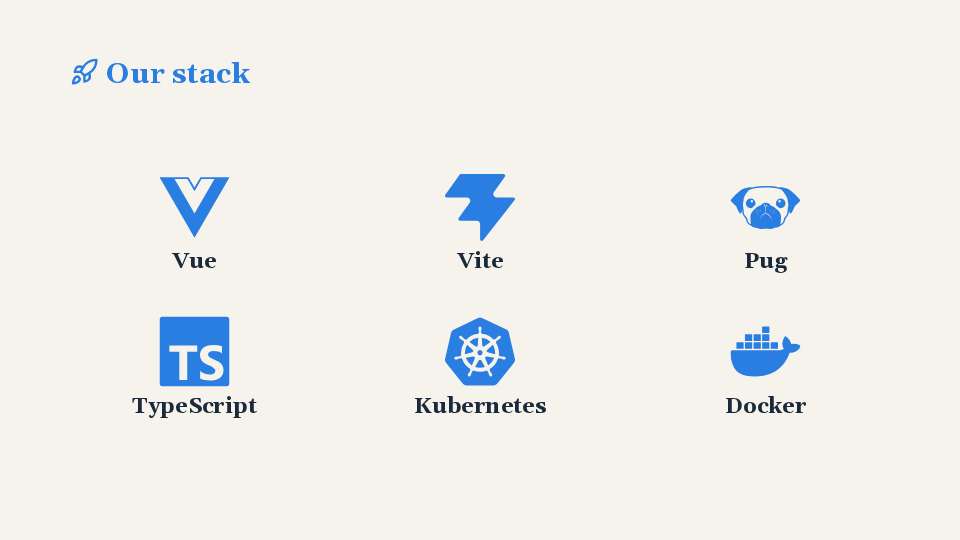
h2 #[Icon(name="lucide:rocket")] Launch
p #[Icon.accent(name="lucide:flame")] The hot path
Icon(name="simple-icons:kubernetes" size="120" label="Kubernetes")
.cols-4
Icon(v-for="it in items" :key="it.icon" :name="it.icon" size="96")(.accent and .cols-4 are utility classes: the accent colour, four columns; items lists the names in the deck's script: [{ icon: 'lucide:gauge' }, …]. In the grid layout, a block's leading icon is drawn at the layout's icon-size, in the accent, whatever its own size.)
Sets
lucide (UI icons, lucide.dev) and simple-icons (logos of technologies and brands, simpleicons.org) come with the library. Any other Iconify set works once the slides project installs its package, npm install -D @iconify-json/<prefix> (@iconify-json/mdi, @iconify-json/logos, …: the prefix is the one in the set's address on icon-sets.iconify.design). A set installed in the project wins over the library's copy of the same set, so a project can pin another version of Lucide.
How icons get in
The Vite plugin reads the project's source (src/ and the decks folder; .vue .pug .js .ts .jsx .tsx .mjs .cjs files; not the snippets and images folders) for words of the form prefix:name that are icons of an installed set, and builds only those into the app, through the module virtual:arao/icons. A static name="…" is found, and so are names written in data ({ icon: 'lucide:rocket' }) and bound with :name. During development, a name written in a saved file shows at once, without a restart; a set installed while the dev server runs is found at the next save of a file that uses it.
- Limitation: a name put together at runtime (
:name="`lucide:${kind}`", a value from a fetch) is not in the source, so it is not built in. Write the full names somewhere in the source (a list of them is enough), or force them with the plugin optionarao({ icons: ['lucide:sun', 'lucide:moon'] })(Vite plugin). - A word that looks like a name but is no icon (
localhost:5173,a:hover) is ignored; a real name in a comment or in text is built in too (it only costs its few hundred bytes).
Look
The colour is currentColor: the icon takes the colour of the text, and is styled like text (color: var(--ar-accent)). Multicolour sets keep their own colours. It is 1em tall by default, so it follows the font size where it sits (in a heading it is as tall as the heading's text; a class with font-size resizes it); size sets px, which Slide.fit and the scales shrink with the rest of what they shrink. It sits on the text's baseline like a glyph and never shrinks in a flex row. Width and height are SVG attributes (and, with size, a CSS rule of no specificity), so a CSS rule with width/height wins over them. Classes: .ar-icon (the svg), .ar-icon-missing.
Missing icon
A name that is not in the build (its set is not installed, a typo, a name built at runtime) shows an empty dashed box of the same size, so nothing around it moves, and one warning per name in development: [arao] Icon "foo:bar" not found: …, which says to install @iconify-json/foo or to check the name.
Licences
Icons are others' work, under their own licences: check a set's licence on icon-sets.iconify.design before using it in a talk you publish.
- Lucide: ISC (free to use; nothing to show on the slides).
- Simple Icons: CC0 for the drawings, but the logos are trademarks of their owners. Use them to refer to the technology or the brand, not as decoration or to suggest endorsement. Some brands are left out at their owner's request (Java:
simple-icons:openjdkis the closest). - Some sets require attribution, such as Font Awesome Free (CC BY 4.0): credit them, on a closing slide for instance.